I Turned My Portfolio Into an MCP Server (And Gave It a UI)
— ai, agents, mcp, infrastructure — 6 min read
Yesterday I stopped treating my portfolio as a website that happens to have a "content API" and started treating it as a service AI agents can actually call. adityakarnam.com now runs a hosted Model Context Protocol server, and on top of it, an interactive app a client like Claude Desktop can render inline.
TL;DR: adityakarnam.com/mcp is a public, read-only MCP server exposing my projects, recent work, and a recruiter "fit check" as callable tools. On top of it sits an MCP App — a two-tab dashboard (Fit Check + Projects) that renders inside any MCP client without leaving the chat. Install it with claude mcp add --transport http aditya-portfolio https://adityakarnam.com/mcp.
This site has been drifting toward "infrastructure lab" for a while — a hero chat backed by Cloudflare AI Search, a subagent-fleet control plane, a running Coding Agent Value Lab. The MCP server is the next logical piece: instead of a human reading my site, an agent should be able to query it directly — "does this person's background fit this role," "what has he shipped recently," "show me the projects that touch X" — and get structured answers back.
What Actually Shipped
Three PRs went out in about a day:
- #72 — Add hosted portfolio MCP endpoint: the server itself.
- #74 — Add interactive Portfolio MCP App: an iframe-based UI on top of it.
- #75 — Restyle Portfolio MCP App: made it look like it belongs on the site instead of a bare browser form.
The Server: /mcp
The endpoint is a Cloudflare Pages Function (functions/mcp.ts) that handles JSON-RPC over HTTP — no separate backend, no database, just the existing Gatsby deploy plus one function. It exposes seven read-only tools:
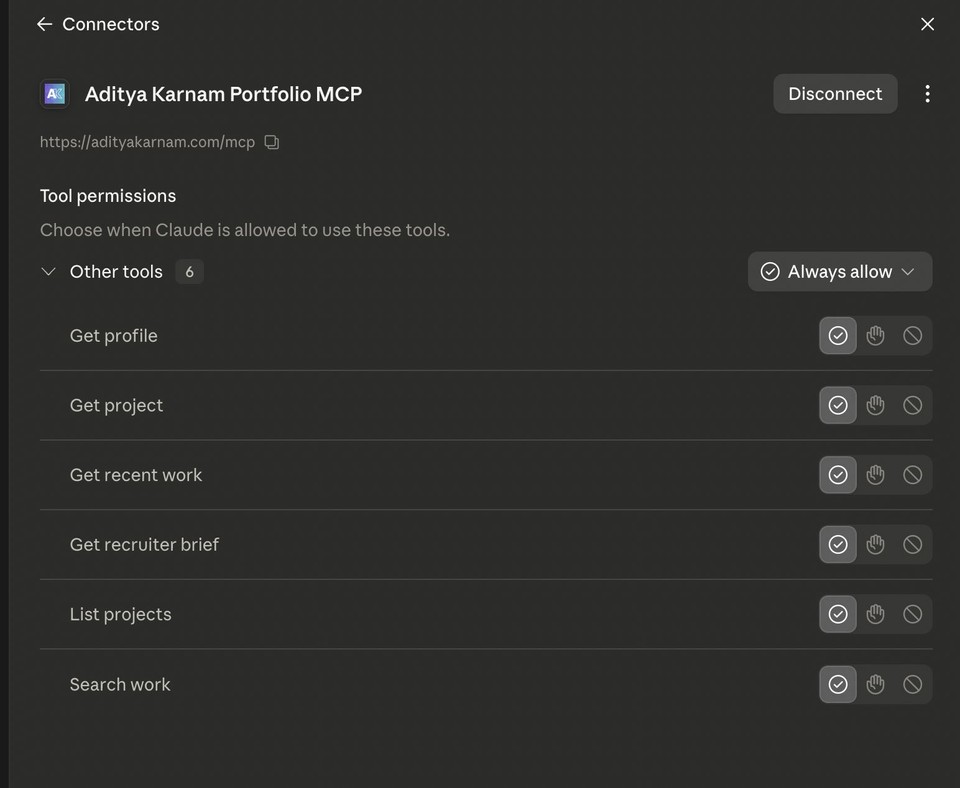
get_profile— who I am, in structured formlist_projects/get_project— the project catalog, browsable and filterablesearch_work/get_recent_work— deterministic search across posts, projects, and systemsget_recruiter_brief— paste a role description, get back a fit assessment against my actual backgroundopen_portfolio_app— launches the interactive UI (more on this below)
Discovery is a static manifest at /.well-known/aditya-portfolio-mcp.json, and there's a plain-language install page at /mcp-install/ for humans who'd rather copy a command than read a spec. If your client speaks MCP natively:
claude mcp add --transport http aditya-portfolio https://adityakarnam.com/mcp
If it's stdio-only, the mcp-remote bridge covers it:
npx mcp-remote https://adityakarnam.com/mcp
The data scope is intentionally narrow — the manifest states outright what it exposes (public projects, posts, systems, research agenda, source links) and what it never will (private files, email, analytics, availability, compensation, immigration status). It's a portfolio, not a doxxing surface.
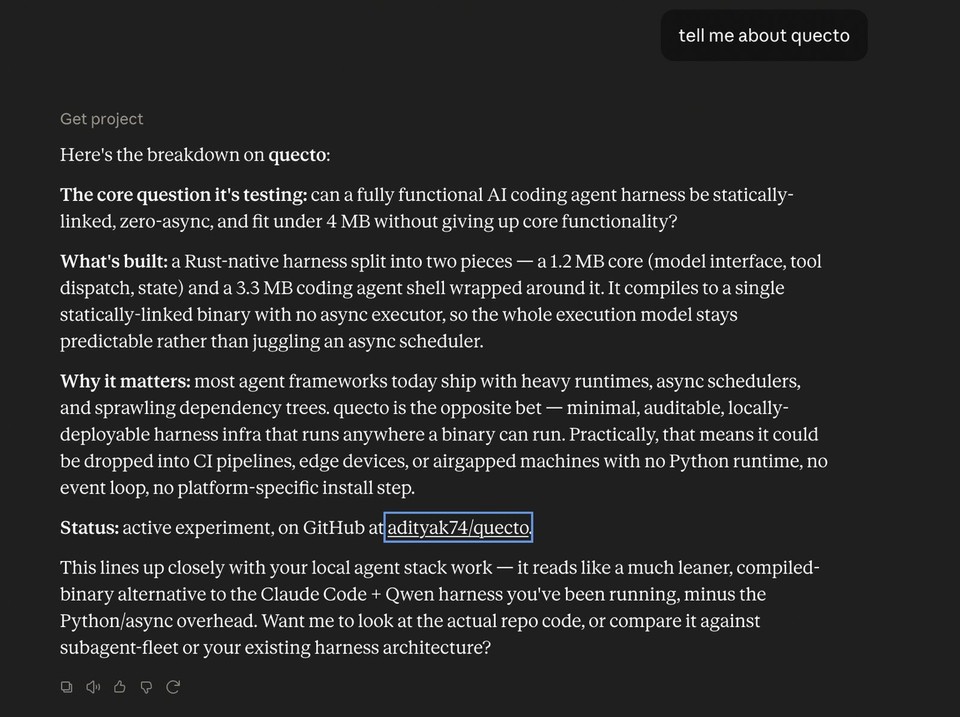
Once it's connected, it behaves like any other tool: ask a normal question and Claude reaches for it on its own.
Hardening took more effort than the happy path. The rate limiter is KV-backed and fails open, but the first version never actually wrote to KV — expirationTtl was set under Cloudflare's 60-second minimum, so every write silently no-opped. That took a diagnostic-logging pass to catch and fix. Separately, the initial tools/list response was missing a required inputSchema field, which is a hard requirement of the MCP spec, not an optional nicety — and CORS preflight was rejecting requests before either of those even mattered. All three got fixed before the endpoint went live. Test coverage for this piece: 48 tests across 12 files, plus a manual wrangler pages dev smoke pass against the install page, manifest, health check, tools/list, and protocol-version rejection.
The App: Fit Check and Projects, Inline
A JSON-RPC endpoint is useful to an agent but invisible to a human watching the conversation. The MCP App fixes that. Calling open_portfolio_app returns a ui://portfolio-app resource — a single self-contained HTML bundle (React, built with Vite's single-file plugin, zero external script or stylesheet references) that MCP clients with UI support render as an inline iframe.
Two tabs:
- Fit Check — paste a role description, it calls
get_recruiter_brieflive and renders the result as a fit assessment, not a raw JSON blob. - Projects — browse and filter the project catalog via
list_projects/get_project, backed by the same live endpoint the agent tools use.
Every outbound link (project pages, posts, GitHub) routes through the SDK's app.openLink() rather than raw iframe navigation, so the host client stays in control of what actually opens. State logic for both tabs lives in pure, independently tested reducers, separate from rendering — which mattered a lot for the second PR, where I wanted to be confident that a full visual restyle touched only presentation files and nothing in bridge.ts, protocol.ts, or the reducers themselves.
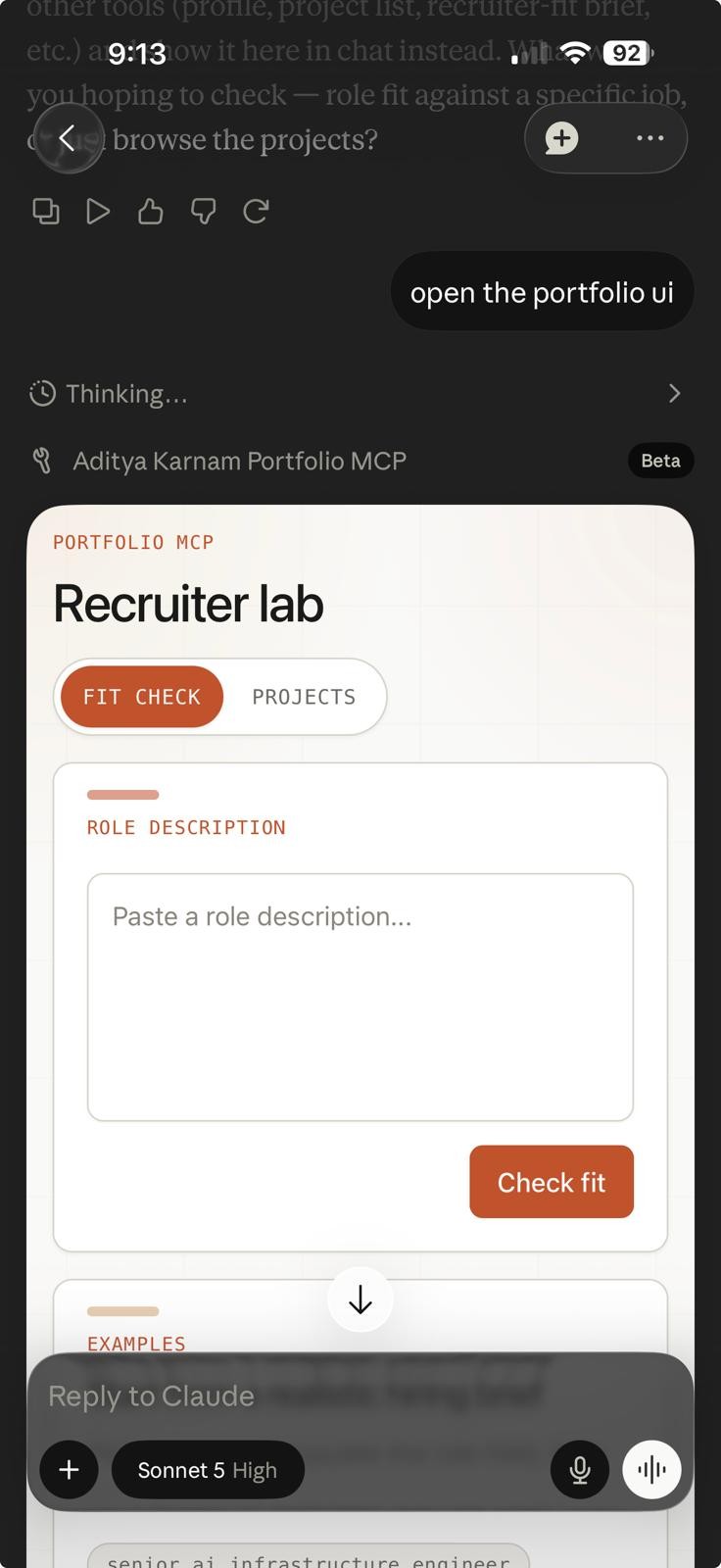
The first version worked but looked like a bare HTML form — unstyled inputs, default browser buttons, no relationship to the rest of the site. PR #75 pulled in the actual chrome components from the site's /systems and /stack pages — the warm cream background with a radial glow and grid overlay, white panel cards with an accent bar, monospace uppercase labels — into a shared theme.tsx that the app now builds on. It also added three clickable preset prompts to Fit Check's empty state, so it doesn't read as a blank textbox the first time someone opens it.
How It Got Built
The pattern for all three PRs was the same, and it's the one I've been leaning on for anything nontrivial on this site lately: write a design spec and implementation plan first (checked into docs/superpowers/specs/ and docs/superpowers/plans/), have Codex execute it task-by-task in an isolated git worktree, then independently verify the diff against the plan — rerun the test suite, rerun the build, and check the things a plan can't fully specify, like "does the generated HTML actually have zero external references." The full app suite sits at 73/73 tests passing across both feature PRs, protocol wiring, bridge parsing, and both reducers.
Why Bother
A static portfolio site answers one question well: "what does this look like to a human clicking around." An MCP server answers a different one: "can a tool call this and get something structured back." Both matter now. Recruiters and hiring managers are increasingly running agents themselves before they run a search; project collaborators want a quick answer to "has he built anything like this before" without reading six blog posts. Read-only tools plus an inline UI mean either path — programmatic query or a rendered dashboard — hits the same source of truth.
It's live now at adityakarnam.com/mcp. If you're running Claude Code, Claude Desktop, or anything else that speaks MCP, the install command above gets you the tools and the app in one step.